- 1. 概要
- 2. インストール
- 3. 操作
- 4. コマンド
- 5. 参考サイト
1. 概要

 「Visual Studio 2010」あたりを使用していたときでも、ほとんど使ったことのない、ブックマークの機能ですが・・・。
 「Visual Studio Code」では、拡張機能としてインストールするようです。

 まぁ、今んとこあまり使わないような気もしますが、ちょっとさわってみます。

2. インストール

 インストールの方法は、他のものと同じなので、くどくど書きませんが。
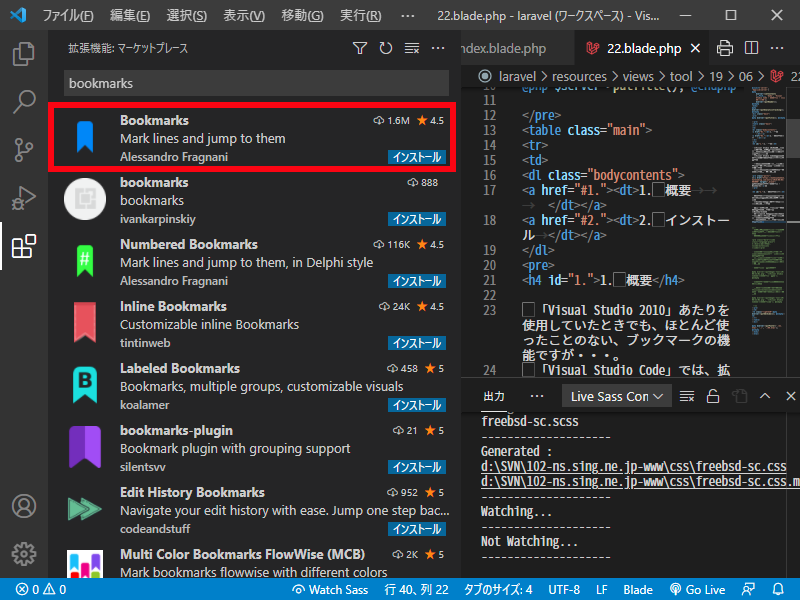
 「bookmark」で検索すると、わらわら表示されます。

 最上位に表示されるのが、参考サイトで紹介されている、「Bookmarks」。
 評価が、「4.5」で、他に「5」のものがありますが、ダウンロード数が圧倒的に桁違いです。
 まぁ、大勢に使われているのが無難ですな。
3. 操作

 Ctrl+Alt+K で、カレント行へブックマークを付けたりはずしたりします。
 Ctrl+Alt+L で次のブックマークへ移動、Ctrl+Alt+K で前のブックマークへ移動します。
 K をはさんで右左のキーなので、わかりやすいですね。

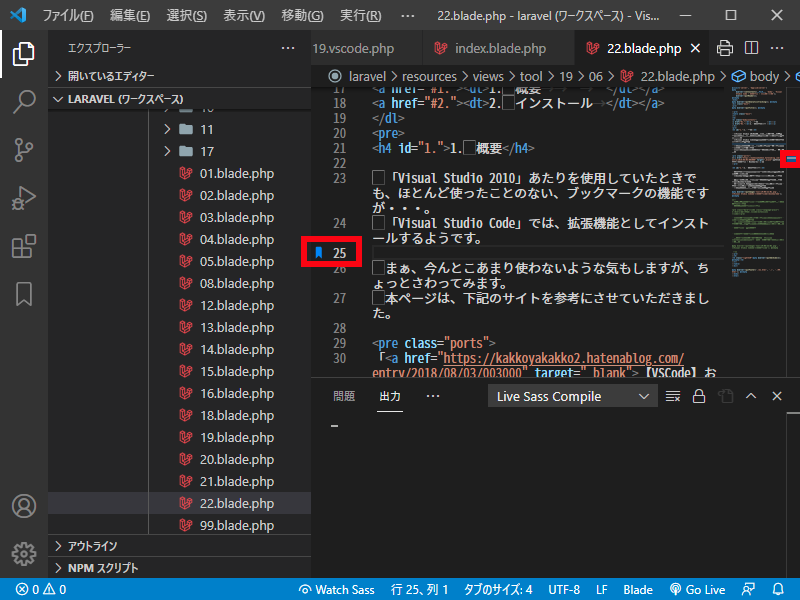
 ブックマークを付けた個所は、行番号のところに付箋紙のようなマークがつきます。
 右の俯瞰図の右にもうっすら青くなっています。
エディタ上で、右クリックしてからの操作もできますが、ショートカットキーの方が扱いやすいですね。
4. コマンド

 全削除はないのかしら?と思ったら、コマンドで操作するようです。
 コマンドパレットを開いて(Ctrl+Shift+P)、「bookmark」まで打てば、コマンドの候補が出てきます。
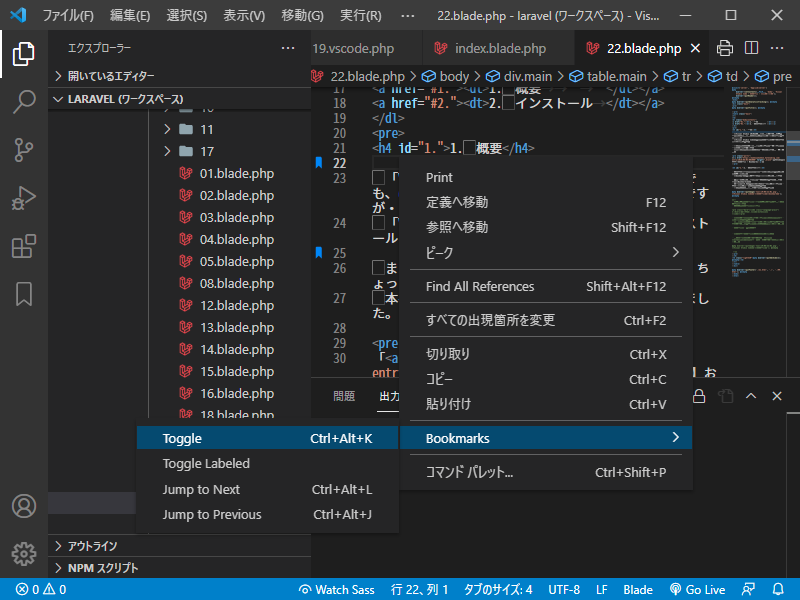
 他にもショートカットキーが、割り当てられているものがあるようです。

 拡張機能自身のいうことにゃ、下記のコマンドがあるようです(確か、参考サイトには訳も書いてあったような・・・)。

	・Bookmarks: Toggle Mark/unmark positions with bookmarks
	・Bookmarks: Toggle Labeled Mark labeled bookmarks
	・Bookmarks: Jump to Next Move the cursor forward, to the bookmark below
	・Bookmarks: Jump to Previous Move the cursor backward, to the bookmark above
	・Bookmarks: List List all bookmarks in the current file
	・Bookmarks: List from All Files List all bookmarks from all files
	・Bookmarks: Clear remove all bookmarks in the current file
	・Bookmarks: Clear from All Files remove all bookmarks from all files
	・Bookmarks (Selection): Select Lines Select all lines that contains bookmarks
	・Bookmarks (Selection): Expand Selection to Next Expand the selected text to the next bookmark
	・Bookmarks (Selection): Expand Selection to Previous Expand the selected text to the previous bookmark
	・Bookmarks (Selection): Shrink Selection Shrink the select text to the Previous/Next bookmark

5. 参考サイト

 本ページは、下記のサイトを参考にさせていただきました。


「【VSCode】おすすめ拡張機能 - Bookmarks」
|
|