- 1. 概要
- 2. コンフィグレーション
- 3. 設定
- 4. 内部サーバ
- 5. 外部サーバ
- 6. 試験
- 7. 参考サイト
1. 概要

 「Redmine」には、なにかあると、メールで通知してくれる機能があるのですが、設定が必要なようです。

2. コンフィグレーション

 設定は。
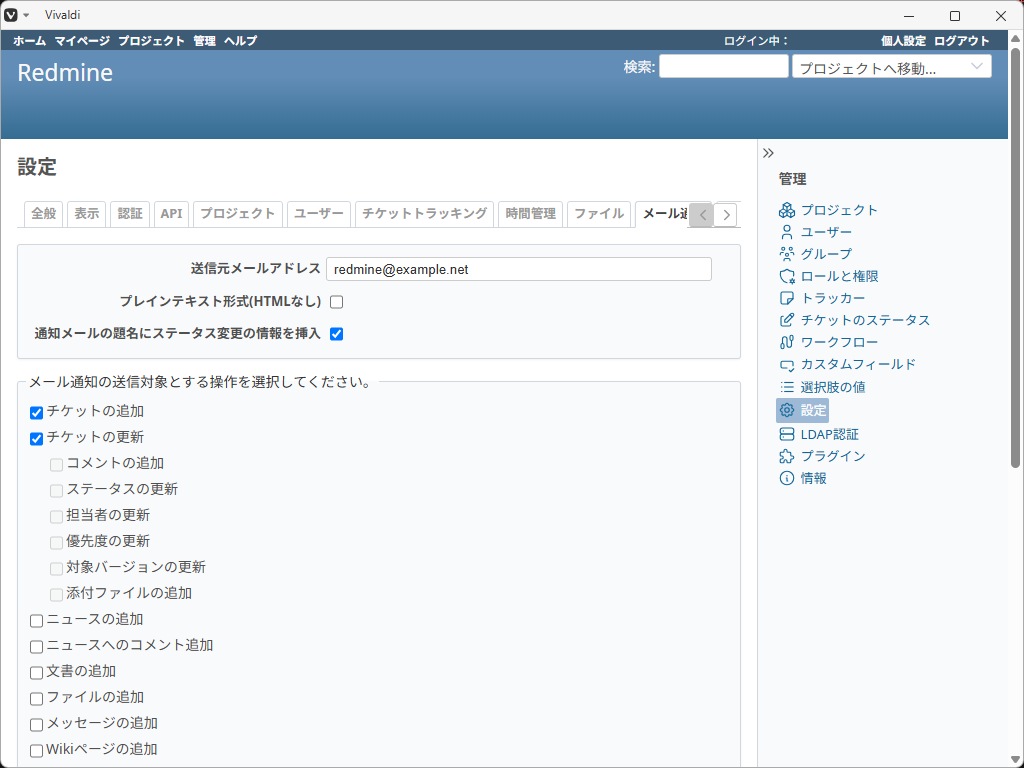
 「管理」「設定」「メール通知」タブで行うのですが。
 デフォルトの状態だと。
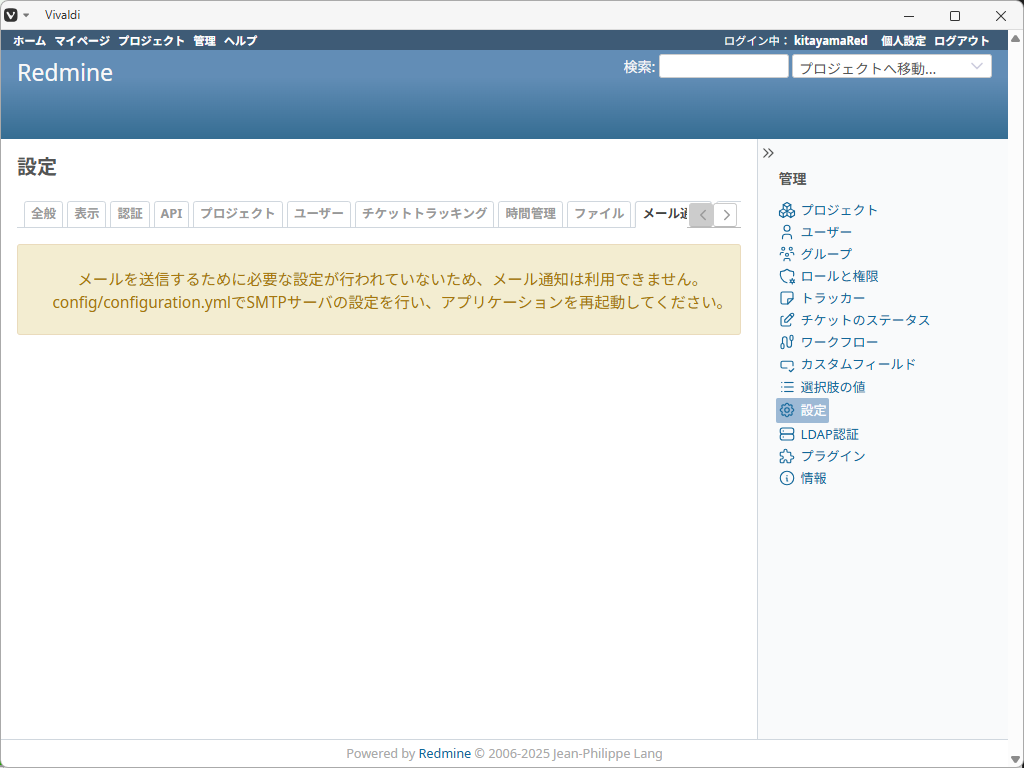
 こんななっちゃう。
 まず、コンフィグレーションファイルの設定を行う必要があります。

3. 設定

 カレントパスが、「Redmine」のホームとして。


config/configuration.yml


 を編集します。
 サンプルが用意されているので、コピーして編集します。


cp config/configuration.yml.example config/configuration.yml
vi config/configuration.yml


 このあたりを設定します。
 (バージョンにより行番号が異なるので注意)


# default configuration options for all environments
default:
  # Outgoing emails configuration
  # See the examples below and the Rails guide for more configuration options:
  # http://guides.rubyonrails.org/action_mailer_basics.html#action-mailer-configuration
  email_delivery:

  # ==== Simple SMTP server at localhost
  #
  #  email_delivery:
  #    delivery_method: :smtp
  #    smtp_settings:
  #      address: "localhost"
  #      port: 25
  #
  # ==== SMTP server at example.com using LOGIN authentication and checking HELO for foo.com
  #
  #  email_delivery:
  #    delivery_method: :smtp
  #    smtp_settings:
  #      address: "example.com"
  #      port: 25
  #      authentication: :login
  #      domain: 'foo.com'
  #      user_name: 'myaccount'
  #      password: 'password'


 「Redmine」と同一のメールサーバを利用する場合は、20~23行を。
 「login」認証を行なっている、「Redmine」と別のメールサーバを使用する場合は、28~35行を。
 サーバに合わせて、編集します。

4. 内部サーバ

 「Redmine」を実行しているマシンとメールサーバが同一の場合は。


  # ==== Simple SMTP server at localhost
  #
  #  email_delivery:
      delivery_method: :smtp
      smtp_settings:
        address: "localhost"
        port: 25


 プロトコルやポート番号は、サーバに合わせて設定します。

5. 外部サーバ

 メールサーバが、外部のサーバの場合。


  # ==== SMTP server at example.com using LOGIN authentication and checking HELO for foo.com
  #
  #  email_delivery:
      delivery_method: :smtp
      smtp_settings:
        address: "example.com"
        port: 25
        authentication: :login
        domain: 'foo.com'
        user_name: 'myaccount'
        password: 'password'


 下記の内容を設定します。
| 項目 | 内 容 | 備考 |
|---|
| address | メールサーバのアドレス | |
| port | ポート番号(25、465、587 など) | |
| authentication | 認証方式(:login, :plain, :cram_md5)など | |
| domain | 送信元となるドメイン名 | |
| user_name | メールサーバ上のアカウント名 | |
| password | パスワード | |
6. 試験

 メールサーバ設定を行ったら、「apache」を再起動します。
 その後、管理画面で、メール通知設定を表示します。
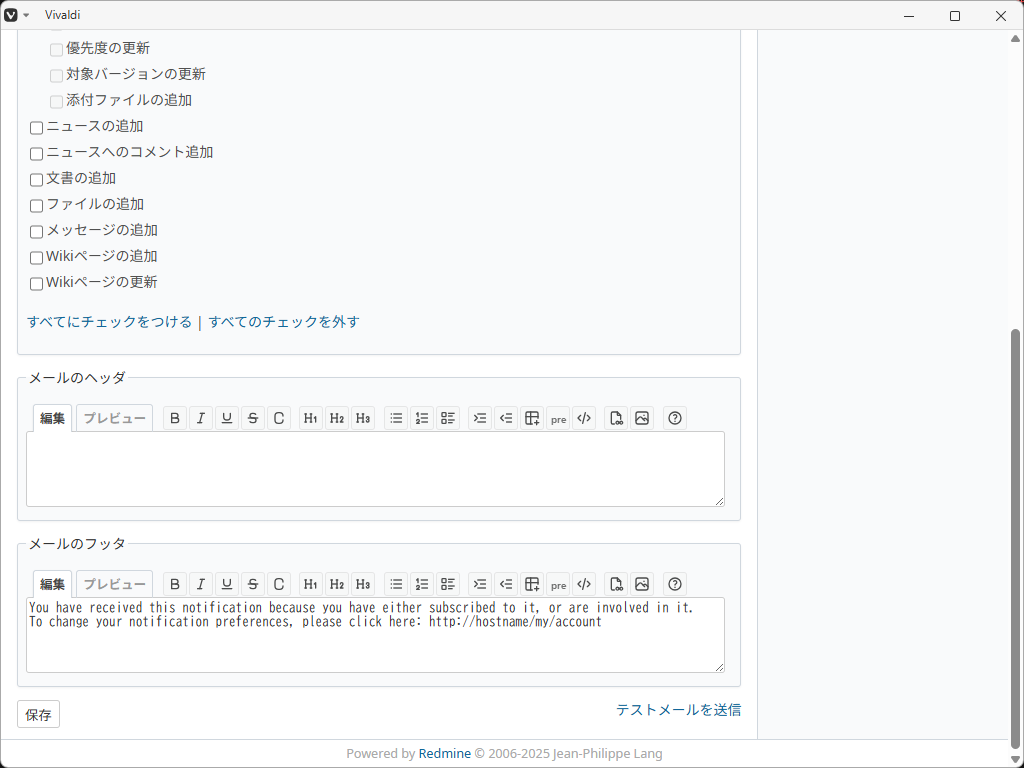
 下記がデフォルトの状態であります。
 右下に、「テストメールを送信」というボタンがあります。
 押してみます。
 その結果。
 件名。


Redmine test


 本文。


This is a test email sent by Redmine.
Redmine URL: http://localhost:3000/

--
You have received this notification because you have either subscribed to it, or are involved in it.
To change your notification preferences, please click here: http://hostname/my/account


 という内容のメールが届きました。

7. 参考サイト

 本ページは、下記のサイトおよび「Gemini」伍長を参考にさせていただきました。


「メール通知のための configuration.yml の設定 — Redmine.JP」
|