- 1. 概要
- 2. インストール
- 3. 設定
- 4. 確認
1. 概要

 日本語入力として、「fcitx5-mozc」をインストールして使用します。

2. インストール

 「root」ユーザ権限で。


yes | pacman -S fcitx5 fcitx5-configtool fcitx5-gtk fcitx5-mozc fcitx5-qt


3. 設定

 今回、何故か、「/etc/environment」へ設定を記述してもうまくいかない。
 「Gemini」伍長に教えてもらいました。
 ログインユーザで。


vi ~/.config/qtile/config.py


def autostart():
    home = os.path.expanduser('~/.config/qtile/scripts/autostart.sh') # path to my script, under my user directory
    subprocess.call([home])


 の箇所を下記へ変更します。


def autostart():
    os.environ["XMODIFIERS"] = "@im=fcitx"
    os.environ["GTK_IM_MODULE"] = "fcitx"
    os.environ["QT_IM_MODULE"] = "fcitx"
    home = os.path.expanduser('~/.config/qtile/scripts/autostart.sh') # path to my script, under my user directory
    subprocess.call([home])


 ログイン時に、「fcitx5」を起動します。
 ログインユーザで。


sh
cat << EOF >> ~/.config/qtile/scripts/autostart.sh
run "fcitx5"
EOF
exit


4. 確認

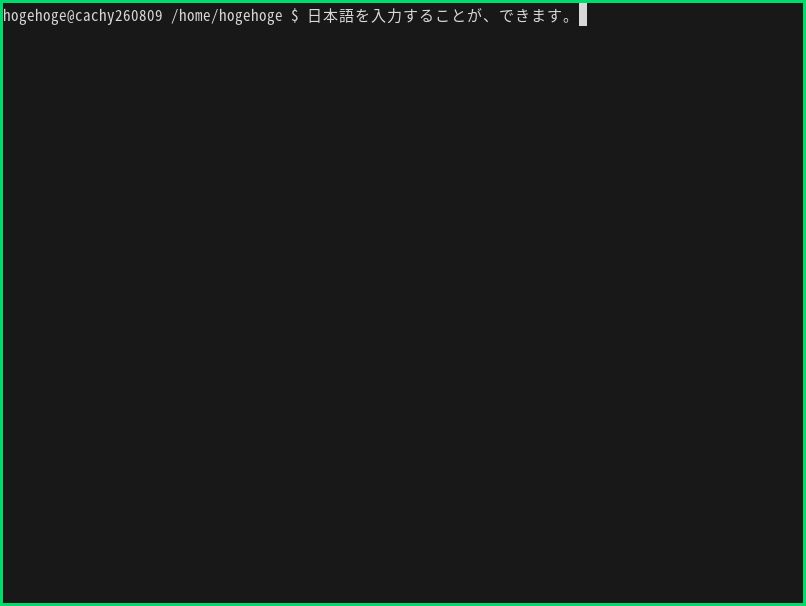
 ログインしなおして、日本語が入力できることを確認しました。
 半角/全角 または Ctrl+Space で、入力を切り替えます。
 キーを変更する際は、「デスクトップ環境構築 - 共通事項 - 日本語入力」をご参照ください。
|
|