- 1. 概要
- 2. インストール
- 3. 起動
1. 概要

 「MySQL」は、「postgreSQL」と並んで、フリーで提供されているデータベースです。
 「MySQL」の詳細については WikiPedia をご参照ください。

2. インストール

 2026年9月11日の時点で、「ports」には、以下のパッケージが存在します。


ls -lhd /usr/ports/databases/mysql*-server


drwxr-xr-x 3 root wheel 7  9月  8 11:05 /usr/ports/databases/mysql80-server
drwxr-xr-x 3 root wheel 7  9月  8 11:05 /usr/ports/databases/mysql84-server
drwxr-xr-x 3 root wheel 7  9月  8 11:05 /usr/ports/databases/mysql97-server


 「MySQL 8.0」「MySQL 8.4」「MySQL 9.7」があります。
 何をインストールすべきか、「Gemini」伍長に相談しました。

	・MySQL 8.4	8.0 の直系後継 LTS (長期サポート 2029年まで)
	・MySQL 9.6 開発・評価用、寿命が短い
	・MySQL 9.7 最新機能の評価用。8.4 からのジャンプアップは互換性リスクが高い

 とのことで、「MySQL 8.4」をインストールします。


cd /usr/ports/databases/mysql84-server


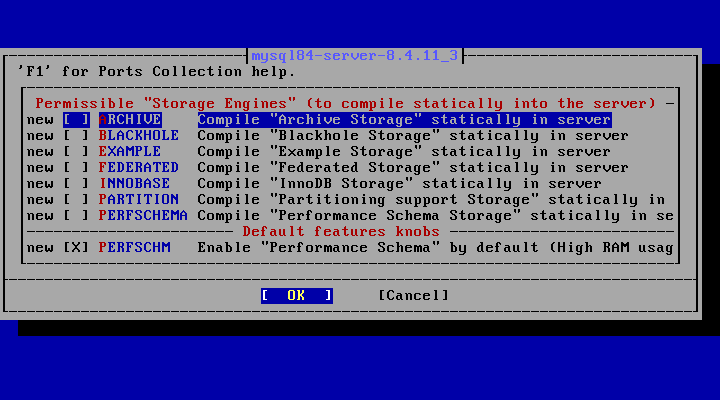
make config


 オプションはデフォルトのままにしています。
cd /usr/ports/databases/mysql84-client


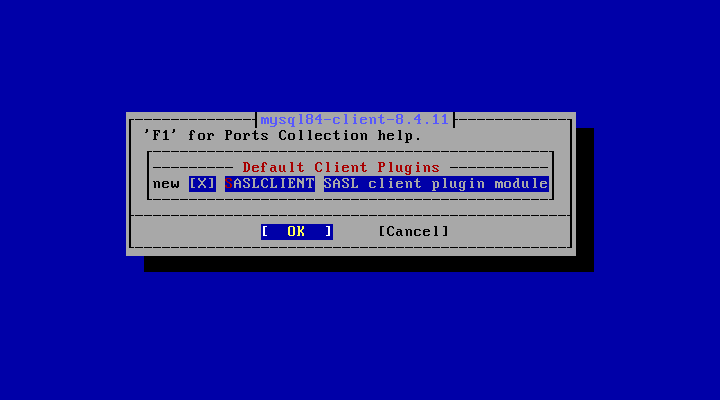
make config


 こちらも、オプションはデフォルトのままにしています。
cd /usr/ports/databases/mysql84-server


make NO_DIALOG=yes


make install


 サーバをインストールすると同時にクライアントもインストールされます。
 「make」には、結構時間がかかりますので、気長に待つ必要があります。
 インストール時のログを掲載しておきます。


===>  Installing for mysql84-server-8.4.11_3
===>  Checking if mysql84-server is already installed
===>   Registering installation for mysql84-server-8.4.11_3
Installing mysql84-server-8.4.11_3...
===> Creating groups
Creating group 'mysql' with gid '88'
Creating group 'mysqlrouter' with gid '394'
===> Creating users
Creating user 'mysql' with uid '88'
===> Creating homedir(s)
Creating user 'mysqlrouter' with uid '394'
There is no initial password for first time use of MySQL.
Keep in mind to reset it to a secure password.

MySQL 8.4 has a default /usr/local/etc/mysql/my.cnf,
remember to replace it with your own
or set 'mysql_optfile="$YOUR_CNF_FILE"' in rc.conf.

MySQL Router is part of this package.  It is disabled by default.  To use it:

        cp /usr/local/etc/mysqlrouter/mysqlrouter.conf.sample \
                /usr/local/etc/mysqlrouter/mysqlrouter.conf
        sysrc mysqlrouter_enable=YES
        service mysqlrouter start

The router runs as the user "mysqlrouter" and logs to
/var/log/mysqlrouter/mysqlrouter.log.  Do not add a "pid_file" or a "user"
entry to mysqlrouter.conf, the rc script takes care of both.

When creating a configuration for an InnoDB cluster, run
mysqlrouter --bootstrap --user=mysqlrouter, so that the generated
files below /var/db/mysqlrouter belong to that account.

If the router has to serve many connections, raise "openfiles" for its login
class in /etc/login.conf and point mysqlrouter_login_class in rc.conf at it,
upstream uses 10000.

===> SECURITY REPORT:
      This port has installed the following files which may act as network
      servers and may therefore pose a remote security risk to the system.
/usr/local/lib/mysql/libmysqlrouter_io_component.so.1
/usr/local/lib/mysql/plugin/group_replication.so
/usr/local/libexec/mysqld
/usr/local/lib/mysql/libmysqlharness.so.1

      If there are vulnerabilities in these programs there may be a security
      risk to the system. FreeBSD makes no guarantee about the security of
      ports included in the Ports Collection. Please type 'make deinstall'
      to deinstall the port if this is a concern.

      For more information, and contact details about the security
      status of this software, see the following webpage:
https://www.mysql.com/


3. 起動

 デフォルトの設定でいったん起動します。
 起動設定。


sysrc mysql_enable=YES
sysrc mysql_optfile=/usr/local/etc/mysql/my.cnf


 起動。


service mysql-server start


 次に、「mysql_secure_installation」というスクリプトを起動して初期設定を行います。
 これについては次ページで・・・。
|