- 1. 概要
- 2. インストール
- 3. CachyOS 250824 tint2 設定
- 4. CachyOS 251129 tint2 設定
- 5. jgmenu 設定
1. 概要

 「CachyOS 250824 Openbox」では、なんか左にパネルとメニューがありますが・・・。使いにくい。
 なので、他のプラットフォームと同様、「tint2」「jgmenu」を使います。
 「CachyOS 251129 Openbox」では、「CachyOS 250824 Openbox」の仕掛けがまったく無効になっています。
 以下、「CachyOS 250824 Openbox」および「CachyOS 251129 Openbox」での操作です。

2. インストール

 実は、「tint2」「jgmenu」は、デフォルトでインストールされています。
 あえて、明示的にインストールするのであれば、「root」ユーザ権限で。


yes | pacman -S tint2 jgmenu


3. CachyOS 250824 tint2 設定

 「CachyOS 250824 Openbox」では、「tint2」は、自動起動も設定されています。
 まず、縦向きのパネルを横向きに変えますが、その方法に関しては、「Openbox - 共通事項 - パネル」をご参照ください。
 デフォルトのパネルがこんな横向きで。
 左上のアイコンを押すと、こんなメニューが表示されますが、これは、「rofi」のようです。
 好かんな。
 やはり、「jgmenu」へ変えます。
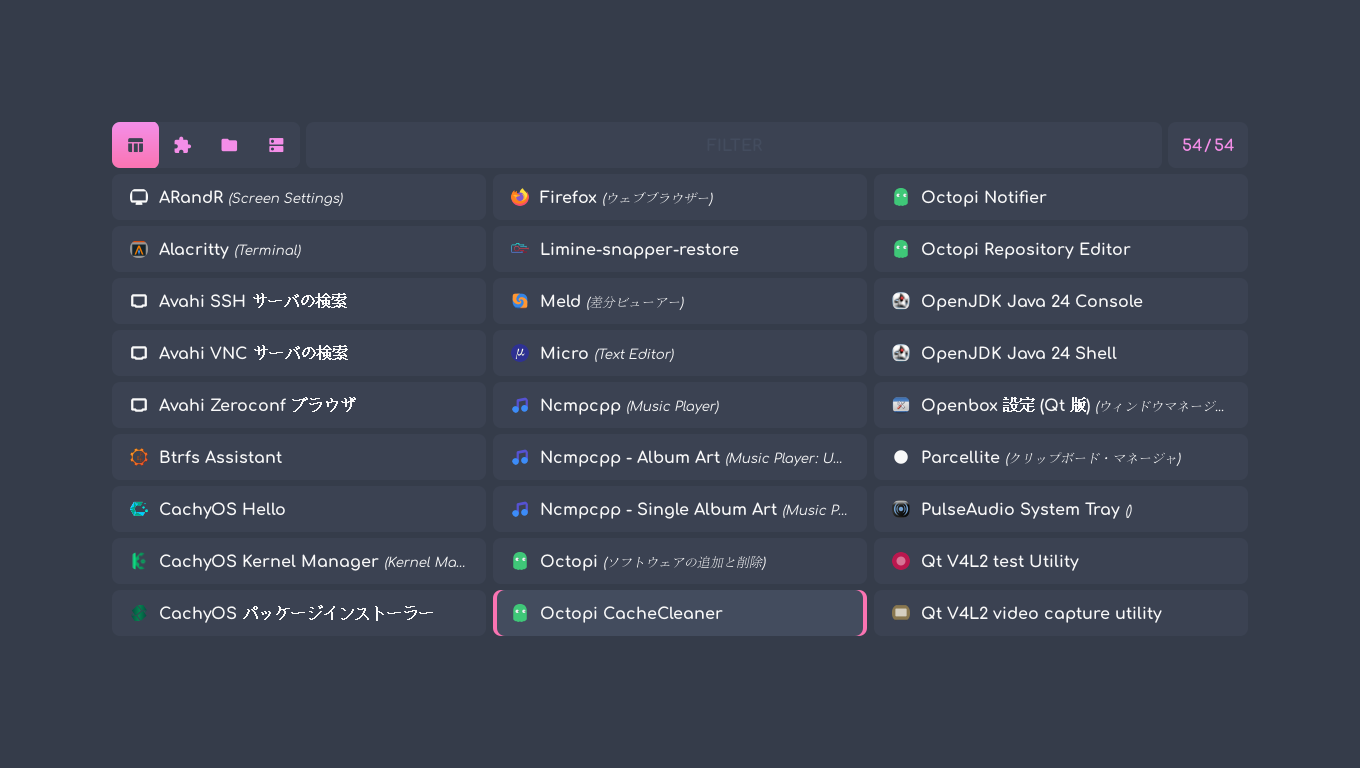
 「tint2」の設定。


vi ~/.config/tint2/mechanical-horizontal.artistic.tint2rc


button_lclick_command = ~/.config/rofi/scripts/rofi-main.sh
button_rclick_command = ~/.config/rofi/scripts/rofi-exts.sh


 上記で、「rofi」をメニューで表示しているので、「jgmenu」へ変更します。


button_lclick_command = /usr/bin/jgmenu_run


 ログインしなおして、反映します。

4. CachyOS 251129 tint2 設定

 「CachyOS 250824 Openbox」では、「tint2」は、自動起動も含め、何の設定もありませんでした。
 なので、他の多くのプラットフォームと同様、自動起動を設定するところから。
 「tint2」の自動起動を設定します。
 ログインユーザで。


mkdir -pv ~/.config/openbox

sh
cat << 'EOF' >> ~/.config/openbox/autostart

tint2 &
EOF
exit


 「tint2」の設定。


mkdir -pv ~/.config/tint2


sed -e 's/panel_position = bottom center horizontal/panel_position = top center horizontal/' \
    -e 's/panel_layer = top/panel_layer = bottom/' \
    -e '/taskbar_name_font_color/i taskbar_name_font = MigMix 1M 10' \
    -e '/launcher_item_app = /d' \
    "/etc/xdg/tint2/tint2rc" > ~/.config/tint2/tint2rc


sed -i '/startup_notifications = 1/a launcher_item_app = jgmenu.desktop' ~/.config/tint2/tint2rc


 上記は、下記の設定を行っています。

	・パネルの位置を下から上へ。
	・アプリケーションウィンドウが、パネルの下へ隠れるので、パネルのレイヤを下へ。
	・フォントを定義。
	・ランチャで起動するのは、「jgmenu」のみ

 ログインしなおして、反映します。

5. jgmenu 設定

 ログインユーザで。


mkdir -pv ~/.config/jgmenu

sh
cat << 'EOF' >> ~/.config/jgmenu/jgmenurc
 menu_margin_x = 10
 menu_margin_y = 45
 menu_valign = top
 item_height = 22
 font = MigMix 1M bold 9
 color_sel_bg = #ffffff 50
 csv_name_format = %n
EOF

cat << 'EOF' >>  ~/.config/jgmenu/append.csv
^sep()
ログアウト,pkill openbox,system-log-out
再起動,reboot,system-reboot
シャットダウン,poweroff,system-shutdown
EOF
exit


 上記で行っているのは、「jgmenu」に。

	・端からの縦横の距離を設定
	・左上に表示
	・項目間の幅を狭く
	・フォント
	・選択項目の背景にメリハリ
	・項目名の冗長を抑止
	・終了メニューを設定

 という設定を行っています。
 終了メニューで、シャットダウン等を有効にするには、「visudo」で、ログインユーザにシャットダウン等の実行をパスワードなしでできるように設定します。
|