- 1. 概要
- 2. インストール
- 3. 日本語環境設定
- 4. /etc/rc.conf 編集
- 5. 再起動
1. 概要

 下記の環境へ、「BUDGIE」のデスクトップ環境を構築する手順を記述します。
| 種 別 | リソース・設定 | 備考 |
|---|
| ホスト | Windows11 25H2 | |
| 仮想環境 | VirtualBox 7.2.4 | |
| ゲスト | FreeBSD 15.0 RELEASE | |
| ログインマネージャ | SDDM | |
| 仮想OS | BSD | |
| 仮想OSディストリビューション | FreeBSD | |
| 仮想OSバージョン | FreeBSD (64bit) | |
| ハードディスク | 180 GB | |
| メモリ | 4 GB | |
| CPU | 2コア | |
| グラフィックスコントローラ | VBoxSVGA 128MB 3D Disable | |
 ここまでの時点で、システムインストールと「VirtualBox Guest Additions」の設定は終わっているものとします。
 それぞれのインストール・設定に関しては、

	「FreeBSD - デスクトップ環境構築 - 共通事項 - システムインストール」
	「FreeBSD - デスクトップ環境構築 - 共通事項 - VirtualBox Guest Additions」

 をご参照ください。

2. インストール

 「root」ユーザ権限で。


pkg install -y xorg ja-font-migmix numlockx


pkg install -y gnome


pkg install -y budgie dconf-editor


 「BUDGIE」は、「GNOME」の派生であるためか、「BUDGIE」をインストールする時点で、依存するものとして、「GNOME」がインストールされるようです。
 バージョンの推移です。

	・2023年 5月16日	「FreeBSD 13.1 RELEASE」	「10.7」
	・2024年 1月20日	「FreeBSD 14.0 RELEASE」	「10.7」
	・2024年 4月 1日	「FreeBSD 13.3 RELEASE」	「10.8」
	・2024年 6月17日	「FreeBSD 14.1 RELEASE」	「10.8」
	・2024年10月11日	「FreeBSD 13.4 RELEASE」	「10.8」
	・2025年12月25日	「FreeBSD 14.2 RELEASE」	「10.8」
	・2025年 5月19日	「FreeBSD 13.5 RELEASE」	「10.8」
	・2025年10月 9日	「FreeBSD 14.3 RELEASE」	「10.9」

 2025年12月26日の時点で、下記のバージョンでした。


pkg info budgie


budgie-10.9
Name           : budgie
Version        : 10.9
Installed on   : Fri Dec 26 09:24:08 2025 JST
Origin         : x11/budgie
Architecture   : FreeBSD:15:*
Prefix         : /usr/local
Categories     : budgie x11
Licenses       : NA
Maintainer     : duchateau.olivier@gmail.com
WWW            : https://buddiesofbudgie.org/
Comment        : Meta-port for the Budgie Desktop Environment
Options        :
        EXAMPLES       : on
Annotations    :
        build_timestamp: 2025-12-23T02:08:18+0000
        built_by       : poudriere-git-3.4.4-15-g61aba751
        port_checkout_unclean: no
        port_git_hash  : e3fa556c9a509b3bc0e615815d8368b663c95dc3
        ports_top_checkout_unclean: no
        ports_top_git_hash: 3e6eb93568f38ccba050d5582358bcf7820bfa0c
        repo_type      : binary
        repository     : FreeBSD-ports
Flat size      : 2.81KiB
Description    :
Budgie Desktop Environment.

This is a "meta-port", this package depends on other Budgie packages.


3. ユーザ用初期化ファイルの作成

 日本語環境を設定します。
 「root」ユーザ権限で。


sh
cat << 'EOF' >> /etc/profile

export LC_ALL=ja_JP.UTF-8
export LANGUAGE=ja_JP.UTF-8
export LANG=ja_JP.UTF-8
EOF

cat << 'EOF' >> /etc/csh.cshrc

setenv LANG             ja_JP.UTF-8
setenv LANGUAGE         ja_JP.UTF-8
setenv LANG             ja_JP.UTF-8
EOF
exit


4. /etc/rc.conf 編集

 デーモン群を起動するようにします。


sysrc dbus_enable=YES
sysrc gdm_enable=YES
sysrc avahi_daemon_enable=YES
sysrc avahi_dnsconfd_enable=YES


5. 再起動

 再起動します。


reboot


 再起動後、ログイン画面が表示されます。
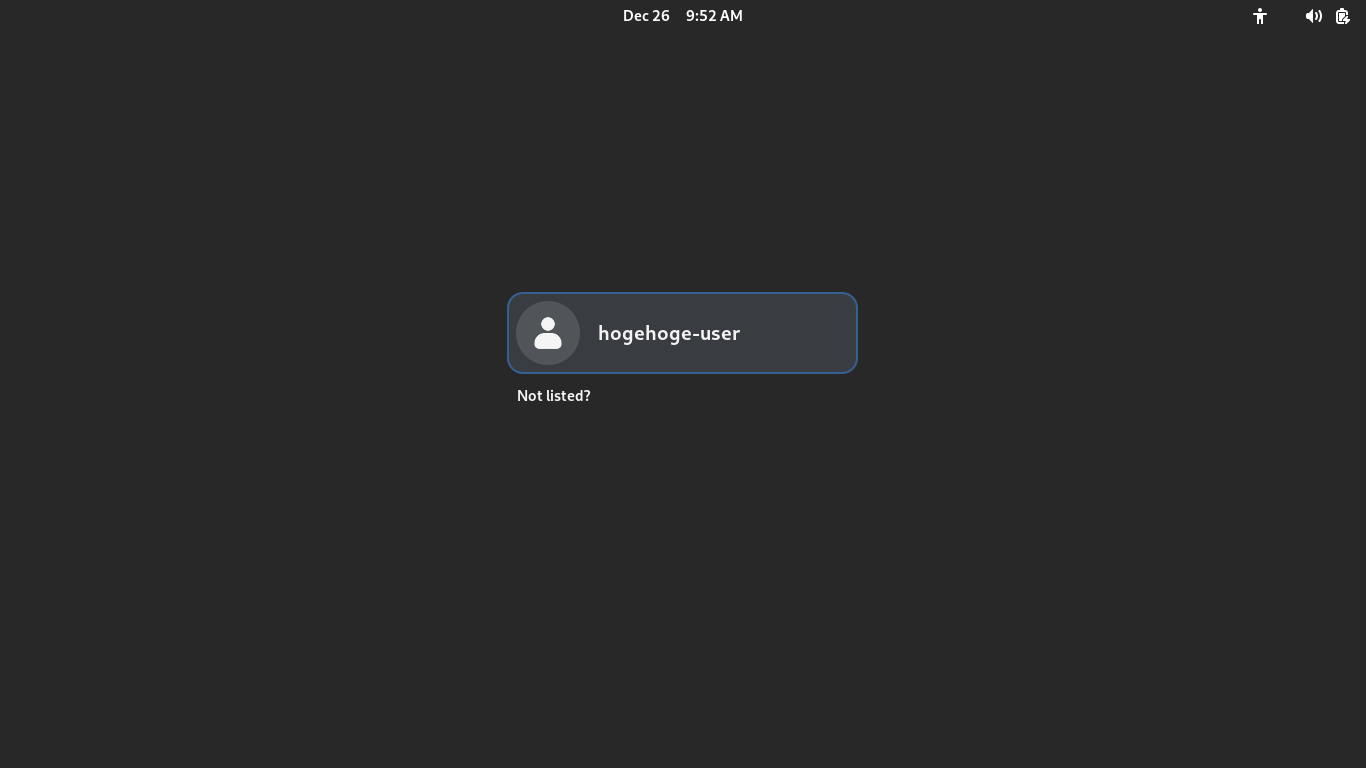
 以前は、パスワード入力画面の右下の設定アイコン「」があり、そこで「Budgie Desktop」を選択する必要がありましたが。
 現在は、選択肢がなく、そのまま「BUDGIE」へログインできます。
|
|

























































