- 1. 概要
- 2. インストール
- 3. 日本語環境設定
- 4. /etc/rc.conf 編集
- 5. 再起動
1. 概要

 下記のデスクトップ環境を構築する手順を記述します。
| 種 別 | リソース・設定 | 備考 |
|---|
| ホスト | Windows11 25H2 | |
| 仮想環境 | VirtualBox 7.2.4 | |
| ゲスト | FreeBSD 15.0 RELEASE | |
| ログインマネージャ | SDDM | |
| 仮想OS | BSD | |
| 仮想OSディストリビューション | FreeBSD | |
| 仮想OSバージョン | FreeBSD (64bit) | |
| ハードディスク | 180 GB | |
| メモリ | 4 GB | |
| CPU | 2コア | |
| グラフィックスコントローラ | VBoxSVGA 128MB 3D Disable | |
 ここまでの時点で、システムインストールと「VirtualBox Guest Additions」の設定は終わっているものとします。
 それぞれのインストール・設定に関しては、

	「FreeBSD - デスクトップ環境構築 - 共通事項 - システムインストール」
	「FreeBSD - デスクトップ環境構築 - 共通事項 - VirtualBox Guest Additions」

 をご参照ください。

2. インストール

 「root」ユーザ権限で。


pkg install -y xorg ja-font-migmix numlockx


pkg install -y gnome gnome-menus


 「gnome-menus」は、「Arc Menu」インストール時に必要になるので、あらかじめインストールしておきます。
 バージョンの推移です。

	・2020年11月 4日	「FreeBSD 12.2 RELEASE」	「gnome3-3.36」
	・2020年 7月ころ	「FreeBSD 11.4 RELEASE」	「gnome3-3.28_2」
	・2021年 6月11日	「FreeBSD 13.0 RELEASE」	「gnome3-3.36_4」
	・2022年 1月19日	「FreeBSD 12.3 RELEASE」	「gnome3-3.36_4」
	・2022年12月ころ	「FreeBSD 12.4 RELEASE」	「gnome-42_2」
	・2023年 5月19日	「FreeBSD 13.2 RELEASE」	「gnome-42_2」
	・2024年 1月 4日	「FreeBSD 14.0 RELEASE」	「gnome-42_5」
	・2024年 3月15日	「FreeBSD 13.3 RELEASE」	「gnome-42_5」
	・2024年 6月21日	「FreeBSD 14.1 RELEASE」	「gnome-42_5」
	・2024年10月 1日	「FreeBSD 13.4 RELEASE」	「gnome-42_5」
	・2024年12月23日	「FreeBSD 14.2 RELEASE」	「gnome-42_5」
	・2025年 3月26日	「FreeBSD 13.5 RELEASE」	「gnome-42_5」
	・2025年 7月16日	「FreeBSD 14.2 RELEASE」	「gnome-47」

 2025年12月25日、「FreeBSD 15.0 RELEASE」へのインストール時のバージョンは、下記のとおりです。


$ pkg info gnome
gnome-47
Name           : gnome
Version        : 47
Installed on   : Thu Dec 25 12:25:42 2025 JST
Origin         : x11/gnome
Architecture   : FreeBSD:15:*
Prefix         : /usr/local
Categories     : gnome x11
Licenses       : NA
Maintainer     : gnome@FreeBSD.org
WWW            : https://www.gnome.org/
Comment        : Metaport for the GNOME desktop
Annotations    :
        build_timestamp: 2025-12-23T01:54:57+0000
        built_by       : poudriere-git-3.4.4-15-g61aba751
        flavor         : full
        port_checkout_unclean: no
        port_git_hash  : e3fa556c9a509b3bc0e615815d8368b663c95dc3
        ports_top_checkout_unclean: no
        ports_top_git_hash: 3e6eb93568f38ccba050d5582358bcf7820bfa0c
        repo_type      : binary
        repository     : FreeBSD-ports
Flat size      : 243B
Description    :
This metaport installs the entire GNOME desktop, including
the user applications released with it.


3. 日本語環境設定

 日本語環境を設定します。
 「root」ユーザ権限で。


sh
cat << 'EOF' >> /etc/profile

export LC_ALL=ja_JP.UTF-8
export LANGUAGE=ja_JP.UTF-8
export LANG=ja_JP.UTF-8
EOF

cat << 'EOF' >> /etc/csh.cshrc

setenv LANG             ja_JP.UTF-8
setenv LANGUAGE         ja_JP.UTF-8
setenv LANG             ja_JP.UTF-8
EOF
exit


4. /etc/rc.conf 編集

 デーモン群を起動するようにします。
 「root」ユーザ権限で。


sysrc dbus_enable=YES
sysrc gdm_enable=YES
sysrc avahi_daemon_enable=YES
sysrc avahi_dnsconfd_enable=YES


5. 再起動

 再起動します。
 「root」ユーザ権限で。


reboot


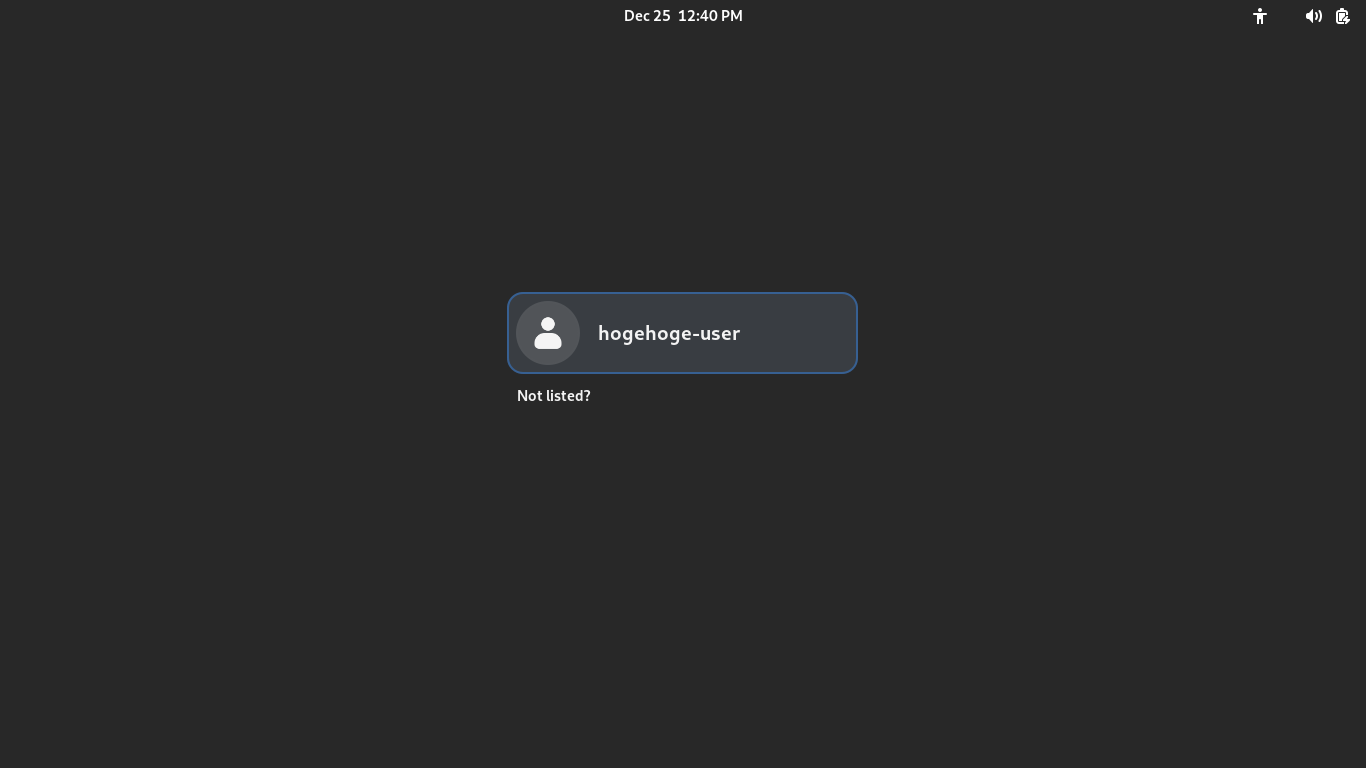
 再起動後、以下の画面が表示されれば基本的な設定は完了です。
|
|























































