ここまでの時点で、システムインストールと「VirtualBox Guest Additions」の設定は終わっているものとします。
 ぞれぞれのインストール・設定に関しては

	「デスクトップ環境構築 - 共通事項 - システムインストール」
	「デスクトップ環境構築 - 共通事項 - VirtualBox Guest Additions」

 をご参照ください。

2. インストール

 「root」ユーザ権限で。


pkg install -y xorg numlockx ja-font-migmix


pkg install -y sddm sddm-freebsd-black-theme cursor-neutral-white-theme


pkg install -y mate brisk-menu dconf-editor


 バージョンの推移です。

	・「FreeBSD 12.2 RELEASE」「FreeBSD 12.2 RELEASE」	「mate-1.24.1」
	・2022年12月 6日	「FreeBSD 12.4 RELEASE」		「mate-1.26.0」
	・2023年 4月13日	「FreeBSD 13.2 RELEASE」		「mate-1.26.0」
	・2023年12月11日	「FreeBSD 14.0 RELEASE」		「mate-1.26.0_2」
	・2024年 3月 6日	「FreeBSD 13.3 RELEASE」		「mate-1.26.0_2」
	・2024年 6月 5日	「FreeBSD 14.1 RELEASE」		「mate-1.28.1」
	・2024年 9月30日	「FreeBSD 13.4 RELEASE」		「mate-1.28.1」
	・2024年12月 6日	「FreeBSD 14.2 RELEASE」		「mate-1.28.1」
	・2025年 3月14日	「FreeBSD 13.5 RELEASE」		「mate-1.28.1」
	・2025年 6月12日	「FreeBSD 14.3 RELEASE」		「mate-1.28.2」
	・2025年12月 5日	「FreeBSD 15.0 RELEASE」		「mate-1.28.2_1」
	・2026年 6月30日	「FreeBSD 14.4 RELEASE」		「mate-1.28.2_1」

 2026年6月17日時点の「MATE」のバージョンは、下記の通りでした。


pkg info mate


mate-1.28.2_1
Name           : mate
Version        : 1.28.2_1
Installed on   : Wed Jun 17 11:25:57 2026 JST
Origin         : x11/mate
Architecture   : FreeBSD:15:*
Prefix         : /usr/local
Categories     : mate x11
Licenses       : NA
Maintainer     : gnome@FreeBSD.org
WWW            : https://www.FreeBSD.org/gnome/
Comment        : "meta-port" for the MATE integrated X11 desktop
Annotations    :
        build_timestamp: 2026-06-14T16:20:59+0000
        built_by       : poudriere-git-3.4.8
        port_checkout_unclean: no
        port_git_hash  : 78db3aeaafd6e8351d3fa52693f922e0020da12f
        ports_top_checkout_unclean: no
        ports_top_git_hash: d0ec8d7b3aac2039ab865b1fcec31f05aebaced0
        repo_type      : binary
        repository     : FreeBSD-ports
Flat size      : 243B
Description    :
MATE is a fork of GNOME 2.

It provides an intuitive and attractive desktop to users using
traditional metaphors.

--

Where does the name come from?

The name "MATE" comes from yerba mate, a species of holly native
to subtropical South America. Its leaves contain caffeine and are
used to make infusions and a beverage called mate.

--

This metaport installs MATE base (lite, a lean desktop) plus
extras applications such as text editor, archiver manager and
etc. If you do not want to have the bloats, please install
x11/mate-base.


3. SDDM カスタマイズ

 「sddm」のカスタマイズ方法については、「デスクトップ環境構築 - 共通事項 - ログインマネージャ - SDDM」をご参照ください。

4. シャットダウンユーザの設定

 一般ユーザからもシャットダウンできるようにします。
 逆に、一般ユーザからシャットダウンさせないようにするにはこの手順を行わないでください。


/usr/local/etc/polkit-1/rules.d/50-default.rules


 を編集します。


sh
cat << 'EOF' >> /usr/local/etc/polkit-1/rules.d/50-default.rules

polkit.addRule(function (action, subject)
{
    if ((action.id == "org.freedesktop.consolekit.system.restart" ||
         action.id == "org.freedesktop.consolekit.system.stop")   &&
         subject.isInGroup("wheel"))
    {
        return polkit.Result.YES;
    }
});
EOF
exit


 「wheel」の箇所に、再起動・シャットダウンを許可したいユーザの所属する、グループ名を記述します。

 わたしは、サスペンドを使いませんので、省略しています。
 サスペンドを許可するには、「subject.isInGroup("wheel"))」の前に続けて、「|| action.id == "org.freedesktop.consolekit.system.suspend"」を追加します。

5. ユーザ用初期化ファイルの作成

 「root」ユーザ権限で。


sh
cat << 'EOF' >> /etc/profile
export LC_ALL="ja_JP.UTF-8"
export LANGUAGE="ja_JP.UTF-8"
export LANG="ja_JP.UTF-8"
EOF

cat << 'EOF' >> /etc/csh.cshrc
setenv LC_ALL   "ja_JP.UTF-8"
setenv LANGUAGE "ja_JP.UTF-8"
setenv LANG     "ja_JP.UTF-8"
EOF

cat << 'EOF' >> /usr/share/skel/dot.xsession
#!/bin/sh
#
setxkbmap -layout jp
numlockx on
EOF
exit

chmod +x /usr/share/skel/dot.xsession


 既存のログインユーザで。


cp /usr/share/skel/dot.xsession ~/.xsession


6. ログインマネージャ起動

 前項までインストール・設定したものを有効にします。
 「root」ユーザ権限で。


sysrc polkitd_enable=YES
sysrc dbus_enable=YES
sysrc sddm_enable=YES


 ログインマネージャを起動します。


service dbus start
service sddm start


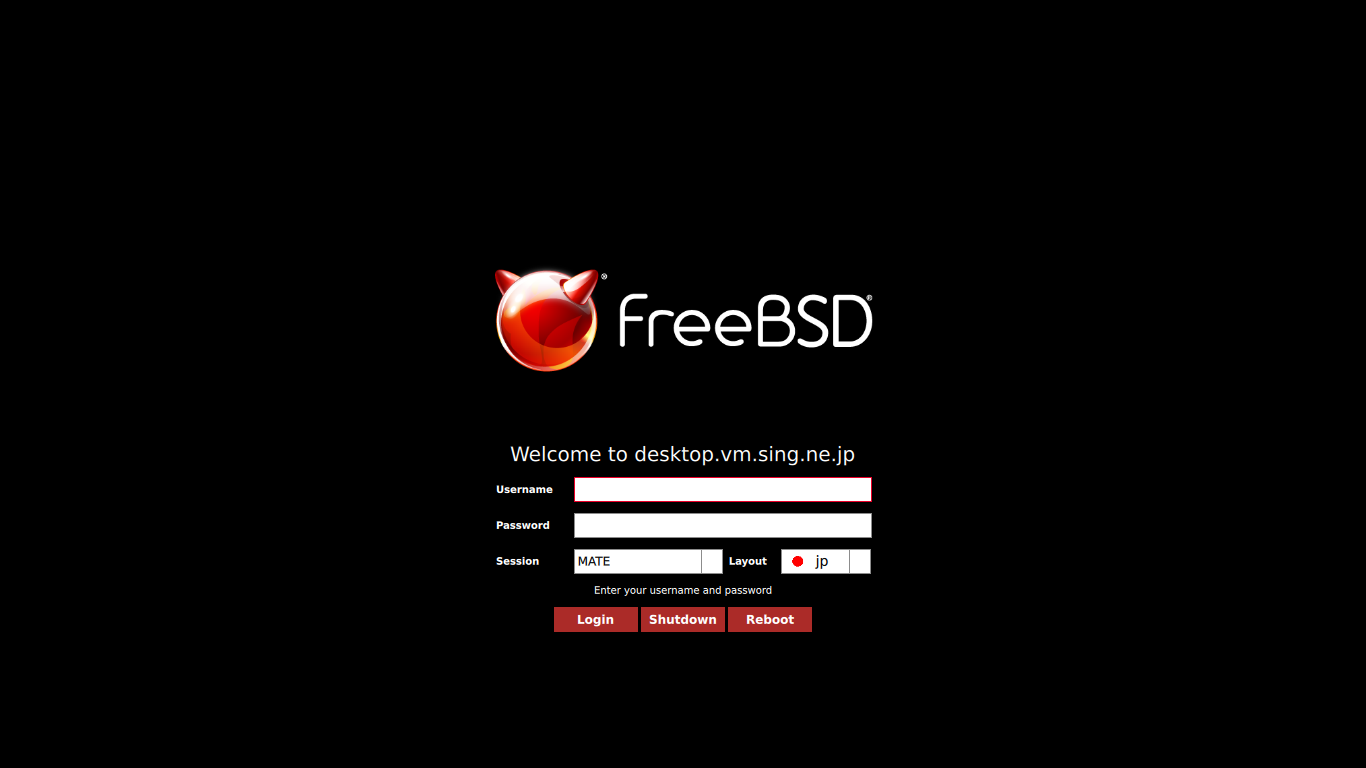
 うまく設定できていれば、ログイン画面が表示されます。
 ユーザ名・パスワードを入力してログインします。