- 1. 概要
- 2. Clamav
- 3. Rspamd
- 4. redis
- 5. インストール時のメッセージ
1. 概要

 必要なパッケージをインストールします。
 掲載している情報は、「FreeBSD 15.0-RELEASE-p2」2026年1月29日のものです。
 以下、すべて「root」ユーザ権限で。

2. Clamav


cd /usr/ports/security/clamav


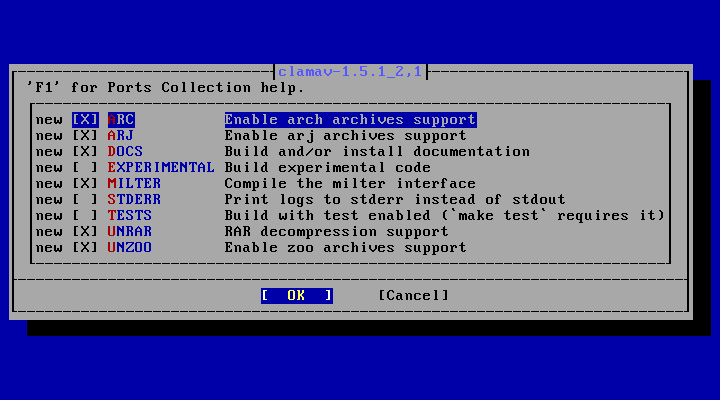
make config


 下記が、デフォルトのオプションになります。
 デフォルトのままにしておきます。


make NO_DIALOG=yes


make install


 インストール時のメッセージを末尾に掲載しておきます。

3. Rspamd


cd /usr/ports/mail/rspamd


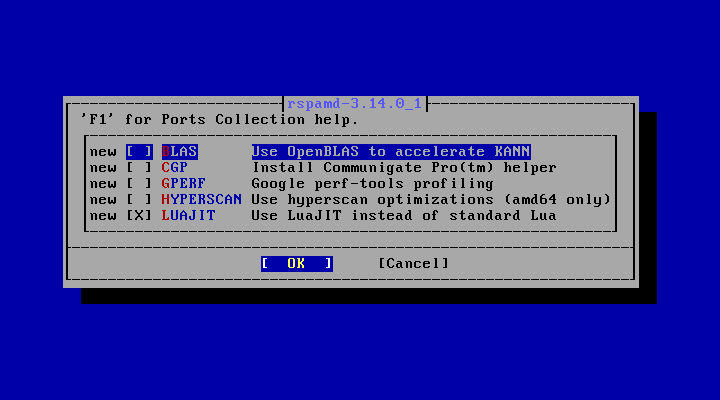
make config


 デフォルトの状態です。
 「Google perf-tools」というのが、やたら気になりますが、とりあえず、デフォルトのままにしておきます。


make NO_DIALOG=yes


make install


 インストール時のメッセージを末尾に掲載しておきます。

4. redis

 「Rspamd」が動作するのに必要なのです。


cd /usr/ports/databases/redis


make config


 デフォルトの状態です。
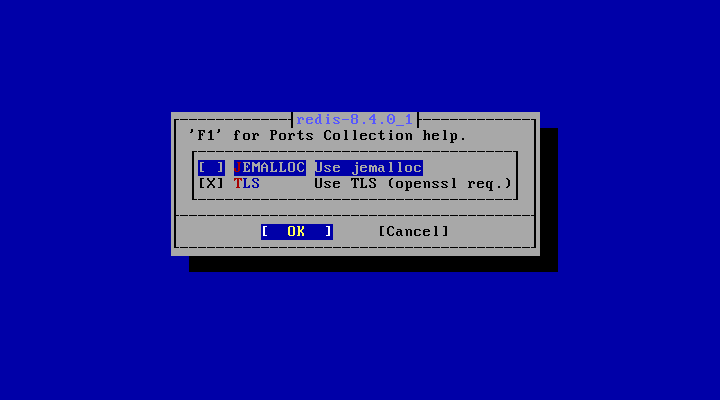
 デフォルトのままにしておきます。


make NO_DIALOG=yes


make install


 インストール時のメッセージを末尾に掲載しておきます。

5. インストール時のメッセージ

 各パッケージのインストール時のメッセージを掲載しておきます。
 「Clamav」


===>  Installing for clamav-1.5.1_2,1
===>  Checking if clamav is already installed
===>   Registering installation for clamav-1.5.1_2,1
Installing clamav-1.5.1_2,1...
===> Creating groups
Creating group 'clamav' with gid '106'
Using existing group 'mail'
===> Creating users
Creating user 'clamav' with uid '106'
Adding user 'clamav' to group 'mail'
===>   NOTICE:

The clamav port currently does not have a maintainer. As a result, it is
more likely to have unresolved issues, not be up-to-date, or even be removed in
the future. To volunteer to maintain this port, please create an issue at:

https://bugs.freebsd.org/bugzilla

More information about port maintainership is available at:

https://docs.freebsd.org/en/articles/contributing/#ports-contributing


 「Rspamd」


===>  Installing for rspamd-3.14.0_1
===>  Checking if rspamd is already installed
===>   Registering installation for rspamd-3.14.0_1
Installing rspamd-3.14.0_1...
===> Creating groups
Creating group 'rspamd' with gid '236'
===> Creating users
Creating user 'rspamd' with uid '236'
 - Add the following line to /etc/rc.conf to enable rspamd:

     rspamd_enable="YES"

 - Optionally you can adjust the user which runs Rspamd workers with the
   variables rspamd_worker_user and rspamd_worker_group (default rspamd:rspamd).

 - A symbolic link to /usr/local/etc/rspamd/rspamd.newsyslog.conf
   has been created in the /usr/local/etc/newsyslog.conf.d directory.
   You can edit /usr/local/etc/rspamd/rspamd.newsyslog.conf
   to change log file rotation configuration.


 「redis」


===>  Installing for redis-8.4.0_1
===>  Checking if redis is already installed
===>   Registering installation for redis-8.4.0_1
Installing redis-8.4.0_1...
===> Creating groups
Creating group 'redis' with gid '535'
===> Creating users
Creating user 'redis' with uid '535'
      To setup "redis" you need to edit the configuration file:
      /usr/local/etc/redis.conf

      To run redis from startup, add redis_enable="YES"
      in your /etc/rc.conf.
|